Your Music.
On Your Wrist.
Sync your music directly to Apple Watch over WiFi. No iPhone required for playback — leave your phone behind.
Apple Watch
iPhone
Mac
Sync your music directly to Apple Watch over WiFi. No iPhone required for playback — leave your phone behind.
Sneak Peek
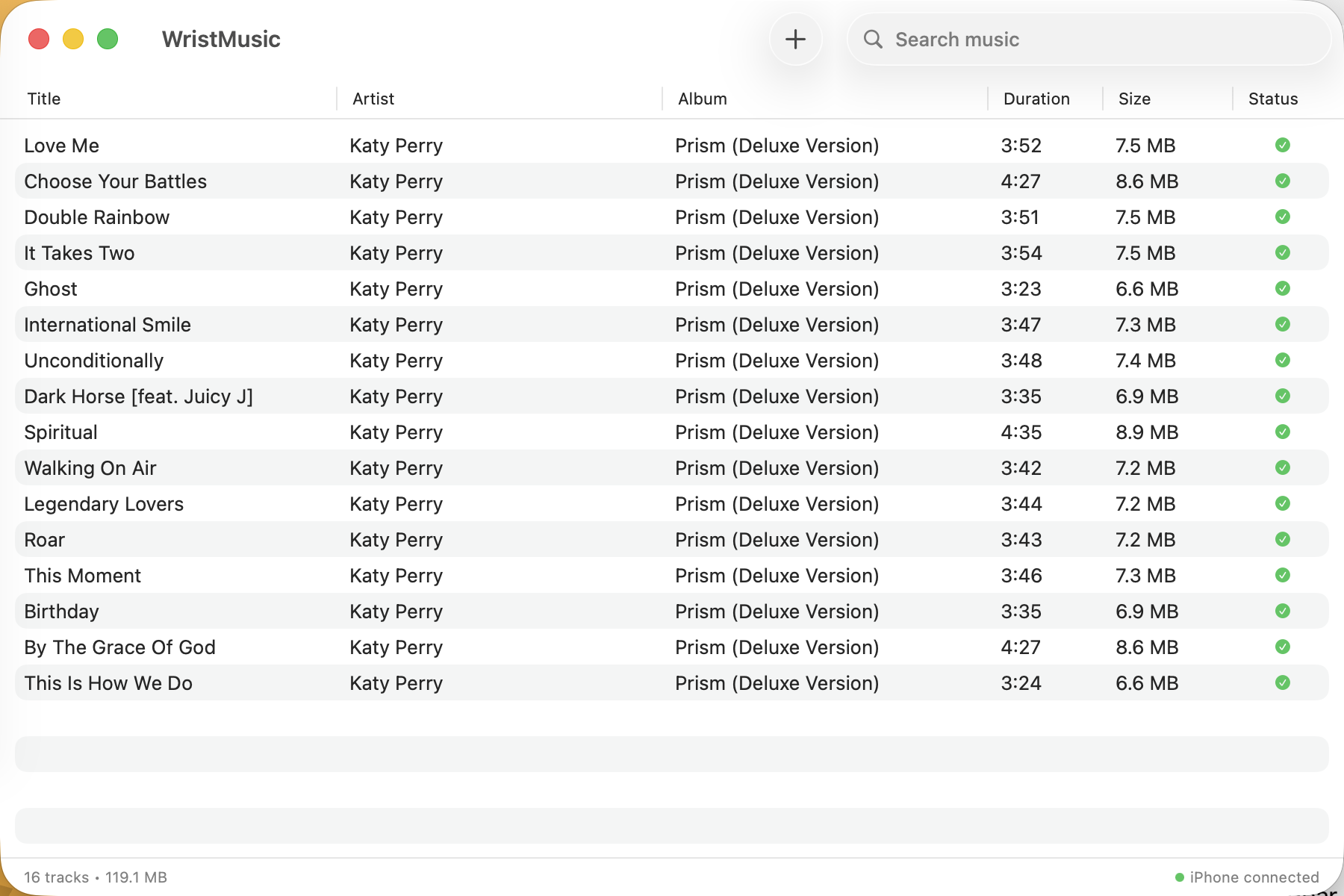
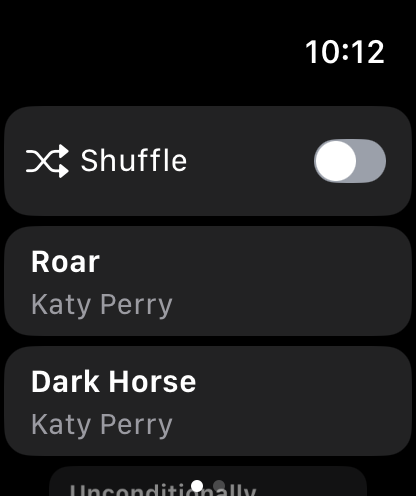
Clean interfaces that get out of your way. Manage your library on Mac, enjoy your music on Watch.
Features
The easiest way to get your music onto Apple Watch.
Sync your music library to your Watch over WiFi. Fast, reliable, and way better than Apple's built-in Bluetooth sync.
Leave your phone at home. Your music lives on your Watch — perfect for runs, gym sessions, and everyday adventures.
No accounts. No cloud. No tracking. Your music never leaves your local network. We don't even see it.
MP3, M4A, AAC, ALAC — your music library, on your wrist.
Getting Started
Getting your music on your wrist has never been easier.
Drag and drop your music files into WristMusic Sync. Your entire library, ready to sync.
With all devices on the same WiFi network, your music syncs from Mac to Watch automatically.
Pair your AirPods, hit play on your Watch, and leave your phone behind.
FAQ
WristMusic syncs music to your Apple Watch over WiFi using the Mac, iPhone, and Watch apps working together. You import your music files into WristMusic Sync on your Mac, and with all three devices on the same WiFi network, your library syncs to your Watch wirelessly. This is significantly faster than Apple's built-in Bluetooth-based sync method. Once your music is on your Watch, you can leave your iPhone at home and listen offline with just your AirPods.
No — that's the whole point. Once your music is synced to your Apple Watch, it lives on the Watch itself. You can leave your iPhone at home and listen to offline music on Apple Watch with just your Bluetooth headphones or AirPods. WristMusic is perfect for runs, gym sessions, walks, and any time you want your music without carrying your phone. Your entire synced library is available for offline playback directly from your wrist.
WristMusic supports all the audio formats you're likely to have: MP3, M4A, AAC, and ALAC (Apple Lossless). You can drag and drop your existing music files — whether they're from iTunes purchases, CD rips, or downloaded MP3s — directly into WristMusic Sync. WristMusic handles the rest, syncing them to your Apple Watch over WiFi in a format that's optimized for the Watch's storage and playback capabilities.
The amount of music you can store depends on your Apple Watch model. Most recent models have 32GB of total storage, with a portion used by watchOS and apps. In practice, you can typically fit several hundred songs on your Watch — enough for many hours of offline music on Apple Watch. WristMusic shows you how much space is available and how much each synced track uses, so you can manage your library effectively.
WristMusic works with your own music files — MP3s, M4As, and other standard audio formats that you own. It does not integrate with Apple Music's streaming library or Spotify, since those services use DRM-protected streams that can't be transferred. If you have DRM-free purchases from iTunes, CD rips, or music downloaded from any other source as standard audio files, WristMusic can sync them to your Apple Watch over WiFi — no streaming subscription needed.
Download WristMusic and take your music with you — no phone required.
Requires macOS 14+, watchOS 10+, iOS 17+