The only Mac uninstaller that cleans up npm global packages, Homebrew formulae, and apps — all in one focused tool.
Version 1.0.5
Preview
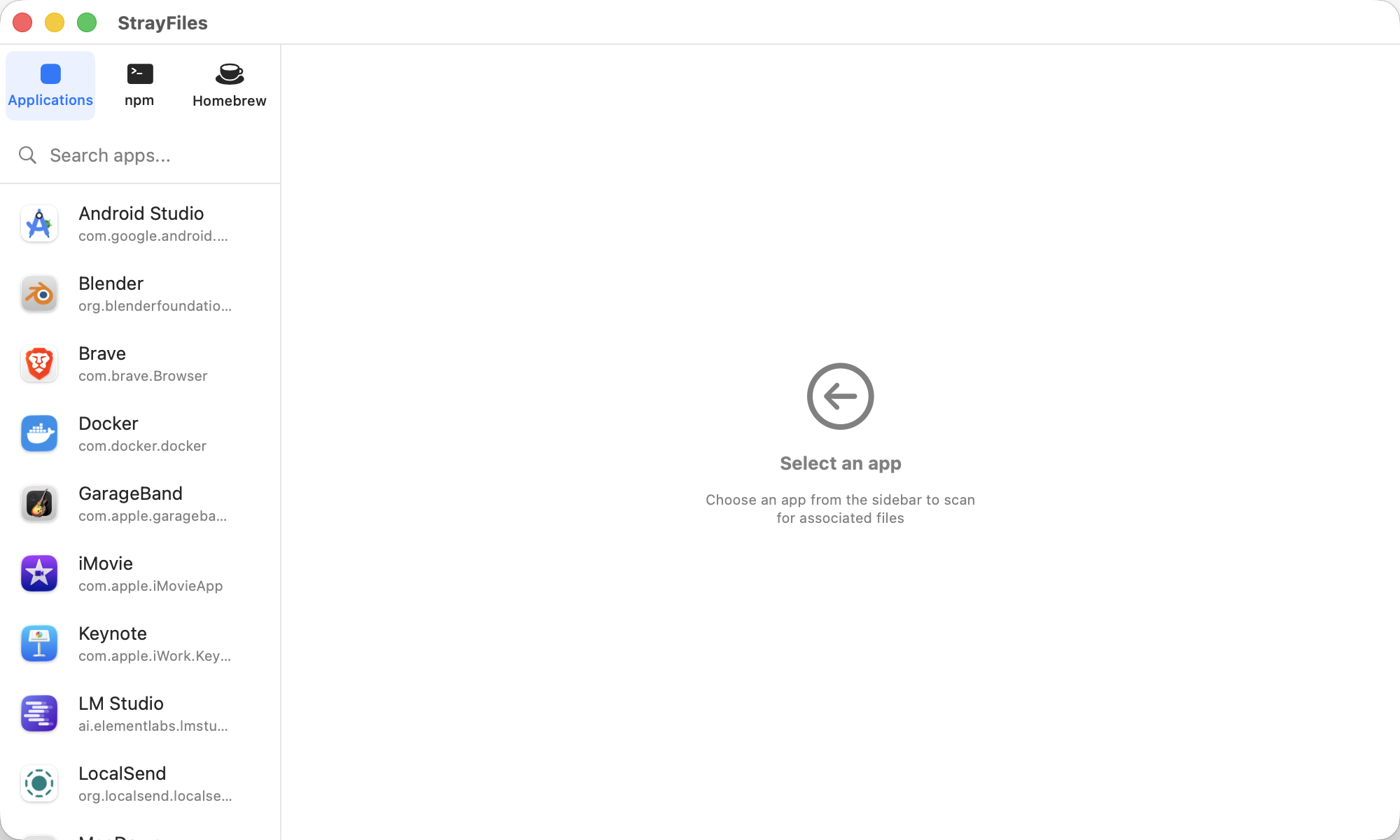
StrayFiles scans for leftover files from apps you have already removed — npm packages, Homebrew formulae, and macOS apps.
Features
Clean up the mess that macOS leaves behind.
Finds leftover files from macOS apps, npm global packages, and Homebrew formulae — all in one scan.
Identifies orphaned files by cross-referencing installed apps, packages, and formulae with what is actually on disk.
Moves files to Trash instead of deleting — nothing is permanent until you empty the Trash. Runs brew uninstall and npm uninstall when appropriate.
See exactly how much disk space each leftover is using. Sort by size to clean up the biggest offenders first.
Built specifically for developers who install and remove tools constantly. Understands npm, Homebrew, and macOS app bundles.
Everything runs locally on your Mac. No accounts, no data collection, no network calls. Your file system stays private.
Trust
StrayFiles is designed with privacy at its core. File scanning should be private — here is our commitment.
No data collection. No network calls. StrayFiles runs entirely on your Mac, scanning your file system locally. Nothing is sent to any server — ever. Your file system inventory stays private.
Pricing
One price. Everything included. No subscription, ever.
7-day money-back guarantee · One-time · No subscription
FAQ
StrayFiles scans for leftover files from three categories: macOS applications, npm global packages, and Homebrew formulae. For apps, it finds orphaned preferences, caches, containers, and support files in ~/Library that remain after you drag an app to the Trash. For npm, it detects globally installed packages that are no longer needed. For Homebrew, it finds formula remnants, old versions, and orphaned dependencies. StrayFiles is the best Mac app cleaner for developers because it understands all three ecosystems — not just .app bundles.
Yes. StrayFiles is designed with safety as a top priority. When you remove leftover files from your Mac, StrayFiles moves them to the Trash — nothing is permanently deleted until you empty the Trash yourself. For npm and Homebrew, it runs the proper uninstall commands (npm uninstall -g, brew uninstall) rather than manually deleting files. StrayFiles also clearly shows you exactly what it found and how much space each item uses before you take any action, so you're always in control.
Most Mac uninstallers only handle .app bundles and their associated Library files. StrayFiles is the only Mac uninstaller for developers that also cleans up npm global packages and Homebrew formulae — the two biggest sources of leftover junk on a developer's Mac. It doesn't try to be a "system optimizer" or ram-booster. There are no misleading scans, no scare tactics, no subscription required. It does one thing well: find orphaned files from things you've already removed, and help you clean them up safely.
Absolutely. StrayFiles was built from the ground up to clean npm and Homebrew leftovers on Mac — not just traditional apps. It cross-references your currently installed Homebrew formulae and npm global packages against what's actually on disk, identifying orphaned dependencies, outdated formula remnants, and globally installed npm packages you no longer use. If you install and remove developer tools frequently, StrayFiles helps you reclaim the disk space that accumulates over time from these package managers.
No. StrayFiles runs 100% locally on your Mac with zero network calls for scanning or cleanup. It never uploads your file system inventory, installed app list, or any other data to any server. There are no analytics, no telemetry, and no cloud accounts. Your file system is private, and StrayFiles keeps it that way. The only network connection is for optional license activation when you first purchase.
One-time purchase. No subscription. Reclaim your disk space today.
Buy Now — $9.99macOS 14 Sonoma or later · 7-day free trial · One-time purchase